03-04-2026
Written By -
Gadget Right Now
We all love to customize our iPhones in our preferred style. Whether it’s about themes or changing the widgets with our favorite colors, making every setting perfect is what we love to do.
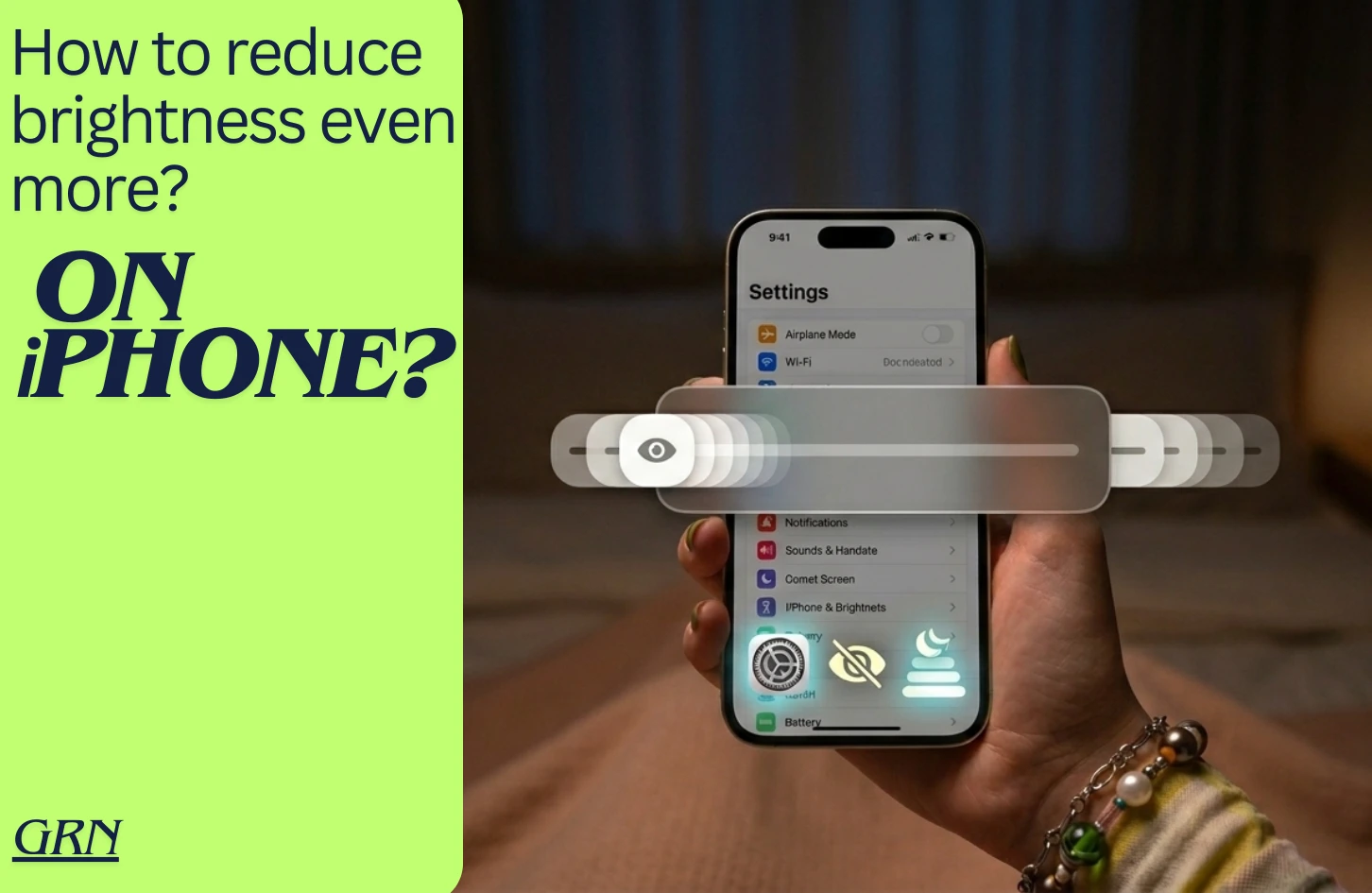
One thing we always tend to change very often is our phone’s brightness. Proper brightness level makes it easy to view contents. Depending on circumstances we like to change the right brightness that goes with the moment. Although some users want to go even further. What if there was a way to reduce your iPhone brightness even more? Let’s find out the process down below:
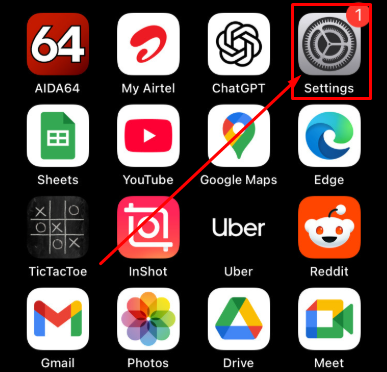
It’s not a regular brightness setting, and that is why you can’t find this option in the basic display settings. To enable more reduced brightness, you can follow a simple built-in option in Apple iPhone. You don’t need any third-party software to do that. The process is given below:
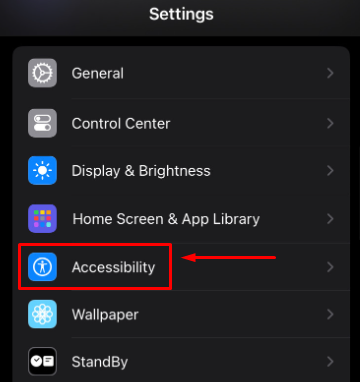
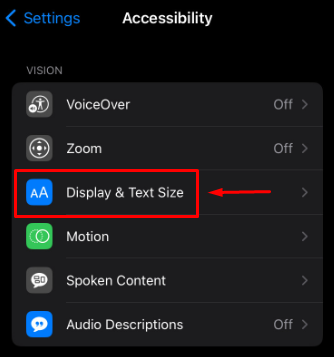
> Scroll down to the bottom, and you will find “Reduce White Point”. This option could be turned on or off depending on your previous settings.
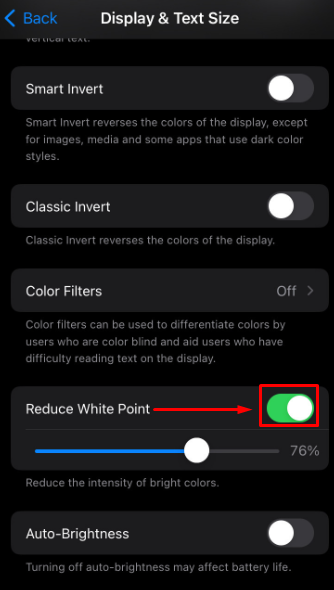
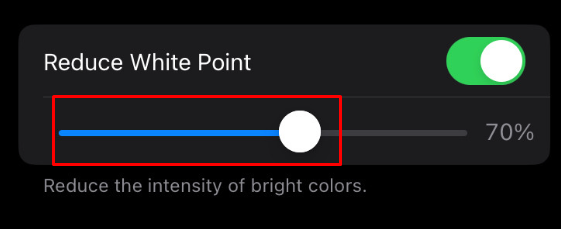
As you are trying to reduce the iPhone brightness even more, it’s recommended to adjust the “white point” slider bar to as high as possible depending on your preferred brightness.
Disclaimer
Due to continuous innovation & improvements, official specification is subject to change without notice. Accessories shown in the picture may or may not be a part of the standard equipment with the product. Model availability and features may vary based on region or version.
We try to deliver updated leak or rumor information from manufacturer websites, other reliable and trusted sources. It is advised to verify important details before making any decision about your desired product. Please inform us if you have found any mistake or wrong information.
Tips & Tricks
March 15, 2026
How to turn on low power mode on iPhone?
Tips & Tricks
March 12, 2026
How to Clear Cache on iPhone