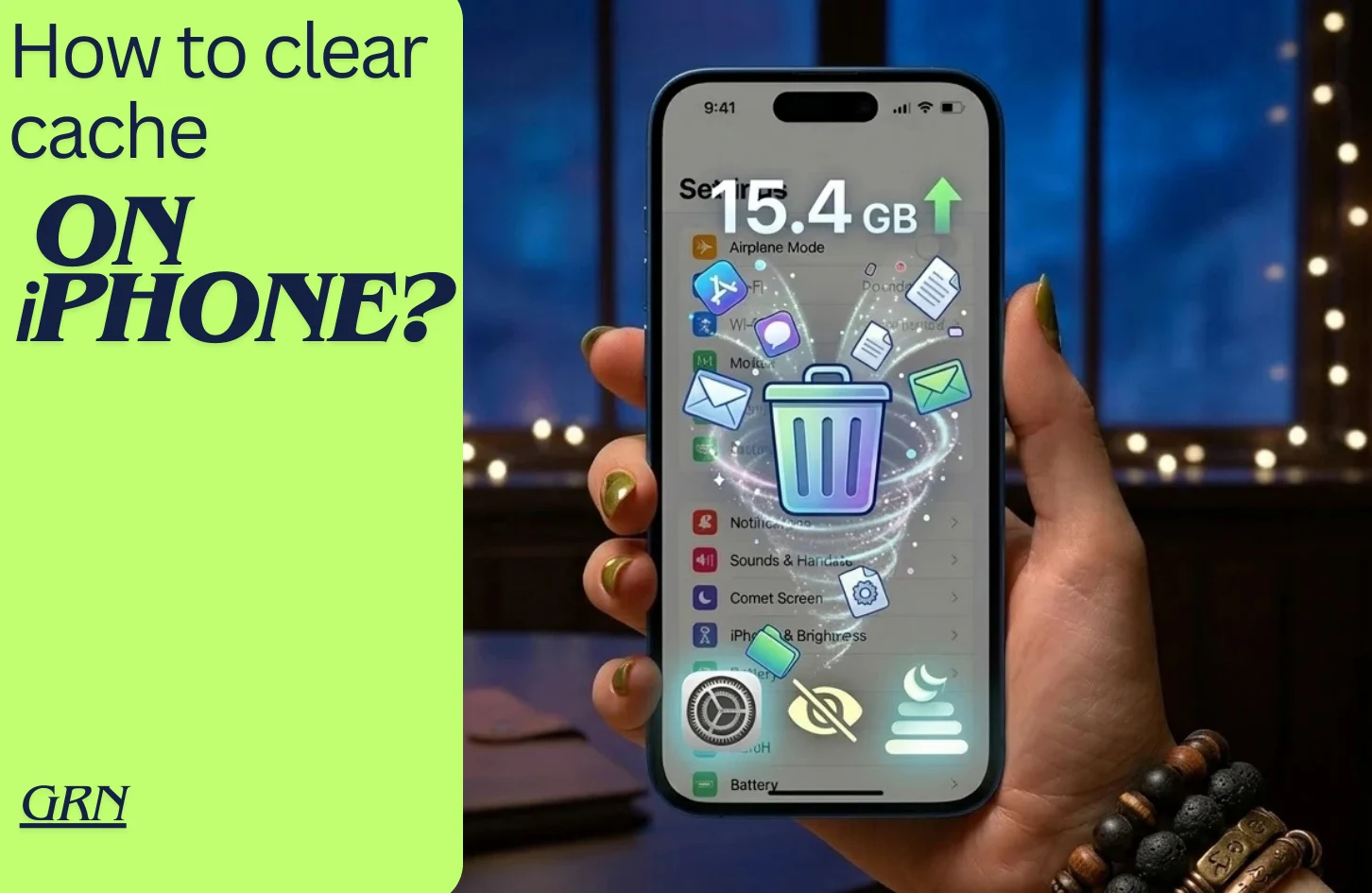
Clearing cache on iPhone helps you minimize the expansion of unwanted data from applications. Most of the time we don’t need such a cache or forget about clearing them. As a result they build and take up a lot of important storage of your iPhones.
Let’s not take any time and find out how you clear or clean the iPhone apps cache easily. Let’s dive right in:
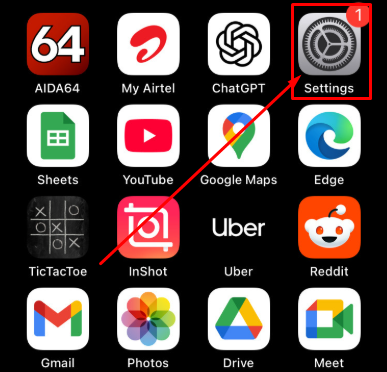
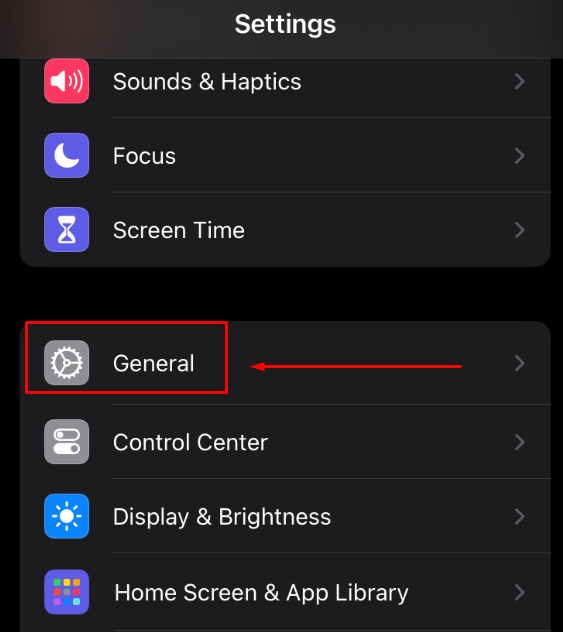
Step 1: Click on Settings App from Home Screen
Step 2: Click on “General” option
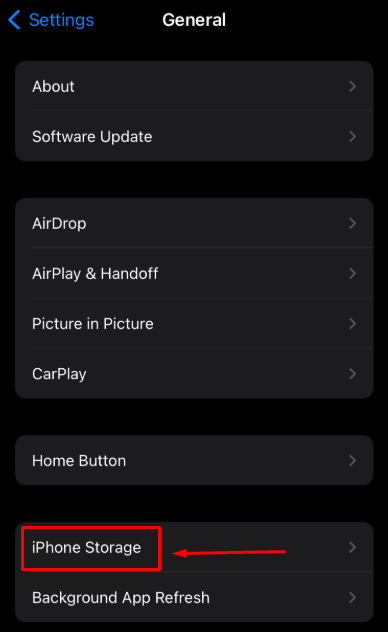
Step 3: Swipe down to find iPhone Storage
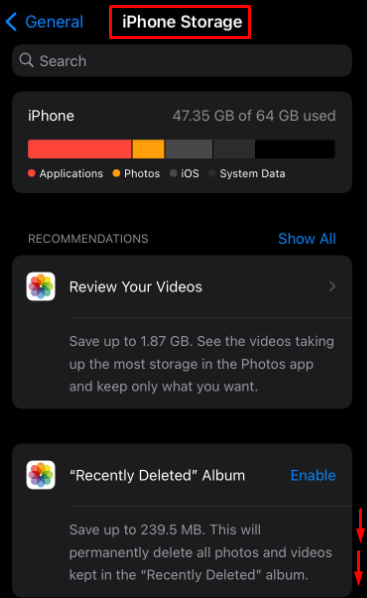
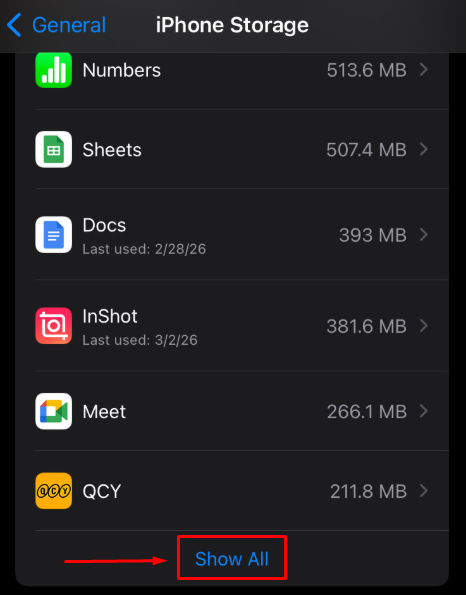
Step 4: Scroll down to find installed apps on iPhone
- You will see lots of installed apps with large cache size showing on the right side
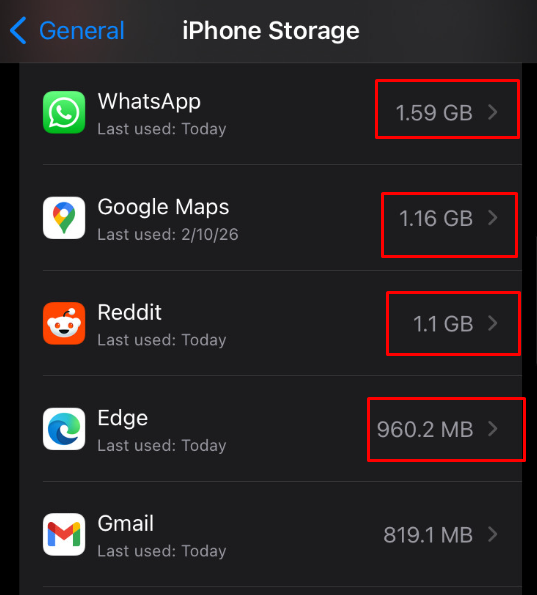
Step 5: Click on “Show All” option if desired app not found
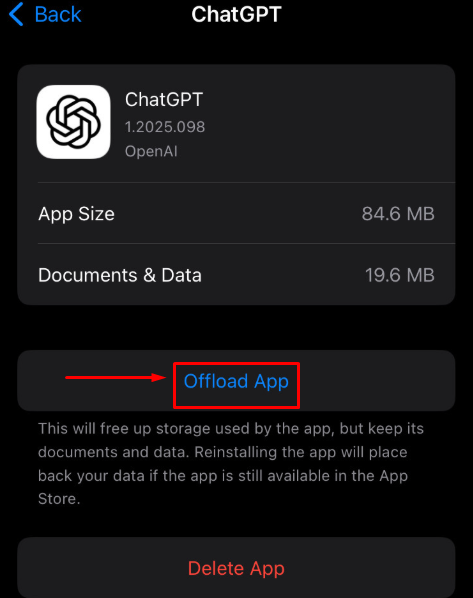
Step 6: Find desired app like ChatGPT and click “Offload App”
Sep 7: Confirm the process by clicking “Offload App” option
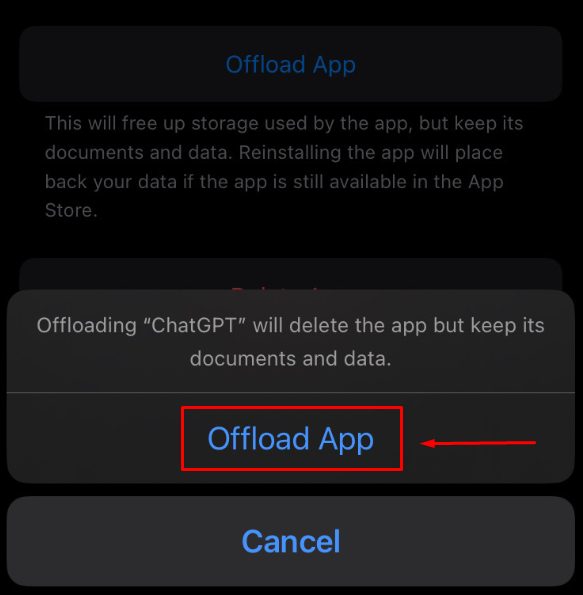
- This way your built-in cache of this app will be cleaned.
Final Words
That was the simple way on how to clear cache on iPhone. If followed step by step, you can now clean cache of any third-party app of your iPhone. As always, stay tuned to gadget right now page to get informed on latest tech news and tips.
**Note: You might need to re-install the app from your iPhone’s App Store
FAQ
Is clearing cache good for your iPhone?
Of course, it is surprisingly effective to clear app caches of storage of your iPhones.
How often should I clear cache on iPhone?
You should clear your iPhone app cache during every new month. Although it is advised to clear app caches for whichever you don’t require for future need. For example: Browsers app caches.
What happens if I don’t clear the iPhone cache?
When you don’t clear or clean your iPhone cache, then this unwanted cache takes up a lot of your iPhone’s storage. Which eventually leads to “full storage” issues. That is why it is ideal to clear up unwanted app caches on your iPhone.